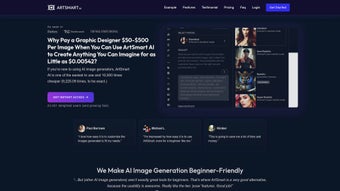

Download ArtSmart AI – AI‑powered Text‑to‑Image Generator for Creators
Introduction: Why ArtSmart AI Is Gaining Momentum in the Creative Community
In a landscape crowded with graphic‑design tools, ArtSmart AI stands out by turning simple text prompts into high‑resolution, hyper‑realistic images in seconds. Whether you are a blogger looking for eye‑catching featured images, a small business that needs custom graphics for ads, a social‑media manager juggling dozens of posts per week, or a seasoned designer seeking rapid concept sketches, ArtSmart AI promises a seamless blend of creativity and automation. The platform is entirely web‑based, which means there are no heavyweight installers, no GPU drivers to manage, and you can start generating from any device that runs a modern browser.
It operates on a subscription model that unlocks a full suite of premium features such as upscaling, inpainting, outpainting, AI avatars, pose control, and background removal. What makes it truly compelling is the focus on user privacy, GDPR‑compliant data handling, and a robust API that lets agencies integrate the engine directly into their content pipelines. This review dives deep into the core capabilities, setup process, system compatibility, and the real‑world pros and cons you’ll encounter when you decide to download (or rather, sign up for) ArtSmart AI.
By the end of the article you will know exactly how the tool can fit into a freelance workflow, an agency production line, or a hobbyist’s creative experiments.
Overview, Core Features, and In‑Depth Pros & Cons
ArtSmart AI’s hallmark is its Playground – a clean, intuitive canvas where you type a description and watch the AI conjure a visual masterpiece. The interface is divided into three primary zones: the prompt box, a style selector, and a real‑time preview panel. Users can switch between rendering modes ranging from stylized illustrations, comic‑book aesthetics, to a hyperrealistic style that rivals professional photography. The engine leverages a diffusion model trained on millions of licensed images, ensuring that generated content respects copyright while still delivering creative freedom. Below is a snapshot of the most valuable functionalities, each designed to reduce reliance on separate editing software:
- Playground for instant text‑to‑image generation
- Upscale tool to enhance resolution up to 4× without quality loss
- Inpainting to edit specific areas of an existing image
- Outpainting for expanding canvas boundaries seamlessly
- AI Avatar creator for personalized profile pictures
- Pose control to dictate character positioning
- Background removal for clean asset extraction
- Hyperrealistic mode for lifelike renderings
- API access for developers and agencies
- Privacy‑first data handling and GDPR compliance
- Batch generation for bulk content creation
- Version history that lets you revert to earlier renders
Pros
- Fast generation – most images appear within 10‑15 seconds, even on modest broadband.
- High‑quality upscaling that retains detail, ideal for print‑size graphics.
- Versatile editing tools (inpaint/outpaint) eliminate the need for separate raster editors.
- Subscription includes unlimited renders, ideal for content‑heavy workflows and agencies.
- Strong privacy policy; images are not stored unless you choose to save them to your account.
- Comprehensive API documentation with sample code for Python, Node.js, and Ruby.
- Responsive customer support with live chat and a growing community forum.
Cons
- Web‑only – no native desktop client for offline work, which can be limiting in low‑bandwidth environments.
- Subscription cost may be steep for hobbyists without a steady need for images.
- Advanced features like pose control have a learning curve and require precise prompt engineering.
- Occasional AI “hallucinations” where the output diverges from the prompt, especially with abstract concepts.
- Limited export formats (primarily PNG/JPEG), lacking vector or TIFF options for specialized workflows.
- No built‑in collaboration workspace; teams must rely on external project‑management tools.
ArtSmart AI delivers on its promise of turning words into compelling visuals quickly and securely. The web‑only delivery eliminates hardware constraints, while the suite of editing tools (upscale, inpaint, outpaint) reduces the need for additional software. For professionals who need a reliable stream of custom graphics, the subscription cost is justified. Hobbyists may find the price a hurdle, but the free trial provides enough exposure to decide if the workflow suits their style.
Installation, Setup, and Practical Usage Guide
Because ArtSmart AI is a cloud‑based service, the “installation” process is essentially a quick account creation followed by a browser login. The entire onboarding experience is designed to be frictionless, even for users who are new to AI‑generated art. Below is a step‑by‑step guide that walks you through every click, from signing up to exporting your first high‑resolution image:
- Visit the official website and click “Start Free Trial.” A clean landing page outlines the three subscription tiers and the benefits of each.
- Enter your email address, create a strong password, and verify your account via the confirmation link sent to your inbox. For added security, you can enable two‑factor authentication (2FA) from the account settings.
- Choose a subscription tier – the Basic plan offers 100 renders per month, the Pro plan provides unlimited access and API credits, and the Enterprise tier adds dedicated support and custom SLA.
- Complete the payment step using a credit card, PayPal, or cryptocurrency (Bitcoin) for privacy‑focused users. A receipt is emailed automatically, and your dashboard updates instantly.
- After logging in, you land on the Dashboard. Here you can access the Playground, view your render history, manage API keys, and adjust account preferences such as default image size and watermark settings.
- To generate an image, type a descriptive prompt (e.g., “a sunrise over a futuristic cityscape, hyperrealistic, golden hour lighting”) and select the desired style from the dropdown menu. You can also toggle advanced options like “seed” for reproducibility or “guidance scale” for stricter adherence to the prompt.
- Use the Upscale button if you need higher resolution, or the Inpaint tool to fix small details such as removing unwanted objects or adding a logo.
- When satisfied, click “Download” to save the PNG or JPEG to your device. For batch exports, select multiple renders and click “Download Zip” to receive a compressed archive.
- If you plan to integrate the service into a custom workflow, navigate to the “API” tab, generate an API key, and follow the quick‑start guide that includes curl examples and SDK links.
Compatibility is straightforward: because everything runs in the browser, ArtSmart AI works on any modern operating system – Windows 10/11, macOS 12+, Linux distributions with a recent Chrome/Firefox/Edge, as well as mobile browsers on Android 9+ and iOS 13+. The Web‑based approach ensures you never need to worry about driver updates or GPU compatibility, making it an ideal choice for freelancers who switch between a laptop, a tablet, and a desktop workstation throughout the day.
Frequently Asked Questions & Final Verdict
Below you’ll find answers to the most common queries from new users. After the FAQ, we’ll wrap up with a concise recommendation and a clear call‑to‑action.
Is there a free version of ArtSmart AI?
ArtSmart AI offers a 7‑day free trial that includes 20 premium renders. After the trial, you must choose a paid subscription to continue using the full feature set.
Can I use ArtSmart AI for commercial projects?
Yes. All paid plans grant commercial usage rights, allowing you to incorporate generated images into marketing materials, client deliverables, and product designs without additional licensing fees.
How does the API pricing work?
API credits are bundled with the Pro subscription. Each render consumes one credit; you can purchase extra credit packs if your usage exceeds the monthly allowance.
What image formats can I export?
Exports are available as PNG (lossless) and JPEG (compressed). For most web and print needs, PNG is recommended to preserve detail, especially after upscaling.
Is my data safe?
ArtSmart AI adheres to GDPR and does not store generated images on its servers unless you explicitly save them to your account. All connections are encrypted via HTTPS.
Can I collaborate with a team on the same project?
While ArtSmart AI does not yet have a native collaboration workspace, you can share API keys and render links with teammates. Upcoming updates promise a shared folder feature for real‑time project sync.
Final Verdict
ArtSmart AI delivers on its promise of turning words into compelling visuals quickly and securely. The web‑only delivery eliminates hardware constraints, while the suite of editing tools (upscale, inpaint, outpaint) reduces the need for additional software. For professionals who need a reliable stream of custom graphics, the subscription cost is justified. Hobbyists may find the price a hurdle, but the free trial provides enough exposure to decide if the workflow suits their style. The platform’s emphasis on privacy, its robust API, and the ever‑growing library of styles make it a future‑proof investment for anyone serious about AI‑driven creativity. In short, if you value speed, flexibility, and cutting‑edge AI technology, download (i.e., sign up for) ArtSmart AI today and unlock a new dimension of visual storytelling.
Start your free trial now and experience the future of image creation.



.png)



